When you are building a voice AI product and want to get it running quickly, Vapi can feel like the obvious choice.
I built my first voice agent on Vapi a few months ago. I wanted the agent to make/receive phone calls, speak naturally, connect with my backend, and send follow-up messages, without spending weeks building telephony and realtime audio infrastructure myself. Vapi got me from idea to a working voice agent fast.
Before choosing Vapi, I also looked at LiveKit. At first, they looked similar. Both can power voice agents. Both support telephony, AI model providers, tools, interruptions, and production use cases.
A voice agent is not just one model. It usually connects speech-to-text, turn detection, an LLM, tools, and text-to-speech in realtime. Vapi and LiveKit both help orchestrate that pipeline, but they expose different levels of control.
The analogy that made it click for me
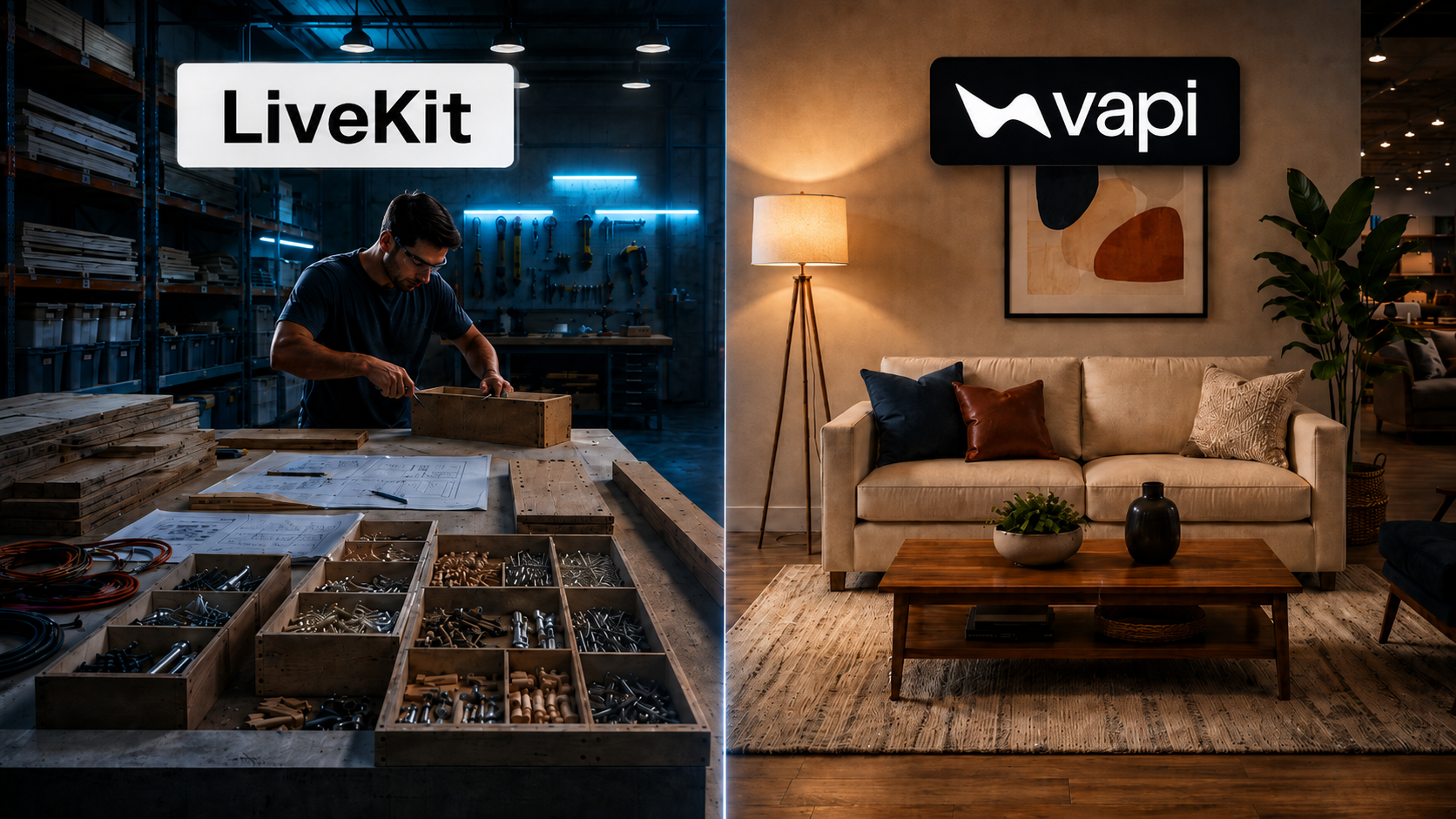
Home Depot vs Ashley Furniture.
LiveKit feels more like Home Depot.
- You can buy something ready-made, but the real value is in the raw materials, tools, and parts.
- If you know what you are building, you can design something around your exact needs. That is how LiveKit feels to me.
- Developers can use the Python or Node.js SDKs to create custom agents, control rooms and participants, process audio and video, connect different AI providers, and decide how the full realtime experience should work.
- LiveKit also has Agent Builder for simpler prototypes, but the deeper value is still the control you get when you build with the SDKs.
Vapi feels more like Ashley Furniture.
- You walk in and most of the product is already designed and assembled. You can choose the style, add accessories, change some options, and make it fit your space, but you are starting with something much closer to finished. That is how Vapi felt when I used it.
- I could build an assistant through the dashboard, choose the prompt, voice, model, and tools, attach a phone number, and start making or receiving calls quickly.
- Developers can still customize Vapi through APIs, SDKs, webhooks, CLI, and backend integrations, but Vapi handles much of the voice and call orchestration for you.
LiveKit gives you flexible building blocks for designing the realtime system. Vapi gives you a more complete voice-agent setup that you can configure and launch faster.
What each platform actually is
Vapi is a voice-agent orchestration platform built around calls, assistants, tools, and business workflows.
LiveKit is a realtime communication platform built around rooms, participants, and media tracks such as audio, video, screen sharing, and data.
An AI agent in Vapi is usually the center of the conversation. In LiveKit, an AI agent can be one participant inside a larger realtime session.
Here is the quick version:
| Area | Vapi | LiveKit |
|---|---|---|
| Starting point | Voice agent | Realtime session |
| Main strength | Fast voice-agent deployment | Control over realtime media |
| Telephony | Managed voice-agent setup | Native telephony with more routing choices |
| Video and screen sharing | Usually needs separate infrastructure | Native media tracks |
| Multiple participants | Assistant handoffs and voice workflows | General-purpose rooms |
| Engineering effort | Lower for standard voice workflows | Better managed on-ramp now, but more architecture choices |
| Best for | Calls and structured workflows | Custom realtime products |
The same product built with Vapi and LiveKit
Imagine you are building an AI homework tutor. A student opens the app and speaks with the AI.
Building it with Vapi
The student asks a question by voice. The AI tutor can explain the answer, call learning tools, track progress, and hand the conversation to another specialized assistant when needed.
This is a strong Vapi use case. The main product experience is a one-to-one voice conversation connected to tools and business logic, so the team can focus on the lesson, prompt, knowledge, and student experience while Vapi manages the voice pipeline.
Building it with LiveKit
LiveKit can power the same one-to-one voice tutor. But the product can also include a camera so the student can show handwritten homework, screen sharing so the student can share a worksheet, a human teacher who joins the same session, a second AI agent that observes without speaking, and live hints, scores, timers, or lesson progress, all inside the same room.
The extra LiveKit capabilities matter only when the product needs them. A simple one-to-one voice tutor may still be faster to build with Vapi.
Where LiveKit has the edge
LiveKit has the edge when the realtime experience itself is part of the product.
A LiveKit room can contain users, AI agents, phone callers, devices, and backend services. Each participant can publish or receive separate audio, video, screen-sharing, or data tracks.
That gives developers native control over:
- Multiple independent participants
- Camera video and screen sharing
- Who receives each media stream
- Realtime application data
- Custom agent logic in Python or Node.js
For example, in the AI tutor, the student can share a screen, the teacher can join by video, the AI can receive the homework stream, and private coaching data can go only to the teacher.
LiveKit Cloud, Agent Builder, phone numbers, and managed deployments reduce the setup burden. The main challenge is design. Your team still decides how rooms work, who joins, what each participant can publish, how telephony routes into the room, and what the interface looks like.
This gives LiveKit a clear advantage for classrooms, telehealth, multiplayer experiences, remote devices, robotics, and products where voice is one part of a wider live experience.
Where Vapi has the edge
Vapi has the edge when the business workflow is more important than building a custom media system.
A developer can create an assistant, attach a phone number, add tools, test the agent, and make inbound or outbound calls quickly.
Vapi is opinionated around the full call experience:
- How the assistant starts the call
- How it handles interruptions
- When it calls a backend tool
- How the call is transferred
- Which events reach your server
- How the team reviews the call afterward
It also supports post-call summaries, logs, analysis, workflows, and multi-assistant Squads.
This makes Vapi a strong choice for appointment scheduling, customer support, worker screening, patient intake, lead qualification, and other structured phone workflows.
The tradeoff is that you build inside Vapi's voice-agent abstraction. If the product later needs a general-purpose video room, custom media routing, several independent participants, or raw media processing, you may need additional infrastructure.
Telecom reality: SIP and SMS
SIP is the standard technology used to connect internet-based communication systems with phone networks.
A SIP trunk is basically the bridge between your voice application and a telecom provider such as Twilio or Telnyx. It helps route calls into and out of your system.
Both Vapi and LiveKit can use SIP, but they expose it differently.
With Vapi, your main question is:
Which phone number and assistant should handle this call?
Vapi hides more of the SIP setup behind the voice-agent workflow.
With LiveKit, especially when using an external SIP provider, the questions become:
Which SIP trunk receives the call? Which room should the caller enter? Which agent should join? How should transfers and media routing work?
A small mismatch can cause the phone to ring while the AI agent never answers. One common example is when the agent name does not match the dispatch rule.
The difference is simple:
Vapi hides more of SIP behind the workflow. LiveKit makes SIP part of the realtime architecture.
My Vapi agent also sent follow-up SMS messages through Twilio. That introduced a different telecom challenge: A2P 10DLC registration.
I spent three weeks going through repeated submission and rejection cycles, often with only an error code and no clear explanation of what needed to change.
The voice agent itself was much easier to build than getting permission to send follow-up messages.
I wrote more about that experience in a separate LinkedIn post.
Customer examples
Vapi's public customer stories include Instawork using voice agents for worker screening and UnityAI using Vapi for healthcare scheduling. These are structured business conversations: ask questions, collect information, update a workflow, and move the process forward.
LiveKit's public examples include OpenAI using LiveKit for ChatGPT Voice and Skydio using it for drone observation and teleoperation. These products depend on realtime voice, video, data, or device communication.
The pattern is clear:
Vapi is commonly used for business voice workflows. LiveKit is commonly used as realtime product infrastructure.
Which one should you choose?
Choose Vapi when:
- You want to launch quickly
- Your product is mainly a structured one-to-one voice workflow
- Phone calls are a major channel
- You are building scheduling, support, intake, screening, qualification, or routing
- You have a small engineering team
- Your main product value comes from the workflow and business knowledge
Choose LiveKit when:
- Voice is one part of a larger realtime product
- You need camera video or screen sharing
- Several humans or AI agents must join the same session
- You need control over who receives each media stream
- You need realtime application data alongside audio and video
- You are building a classroom, telehealth room, game, livestream, remote device, or physical AI experience
- The communication experience itself is a major part of the product
My conclusion
For my first voice agent, Vapi was the right choice. I needed a working phone agent fast, not a general-purpose realtime product.
I would choose Vapi again for an early phone agent or a structured one-to-one voice workflow. I'd reach for LiveKit once the product grows into a wider realtime experience involving video, screens, multiple participants, live data, or devices, where the communication layer itself becomes part of the product.